Updated · Ade, founder of Nugo
Why the moodboard isn't the plan
A moodboard is where the look gets agreed: the light, the colour, the framing, the feeling. It's the right tool for that, and the wrong one to run a shoot from. On the day, nobody has time to work out which of forty images is a shot and which is a lighting note.
A shot list turns the board into decisions. Each line is one shot the crew will take, with the facts they need to set it up. The trick is to keep the two connected, so the look the client signed off is the look you shoot.
1. Give every reference a job
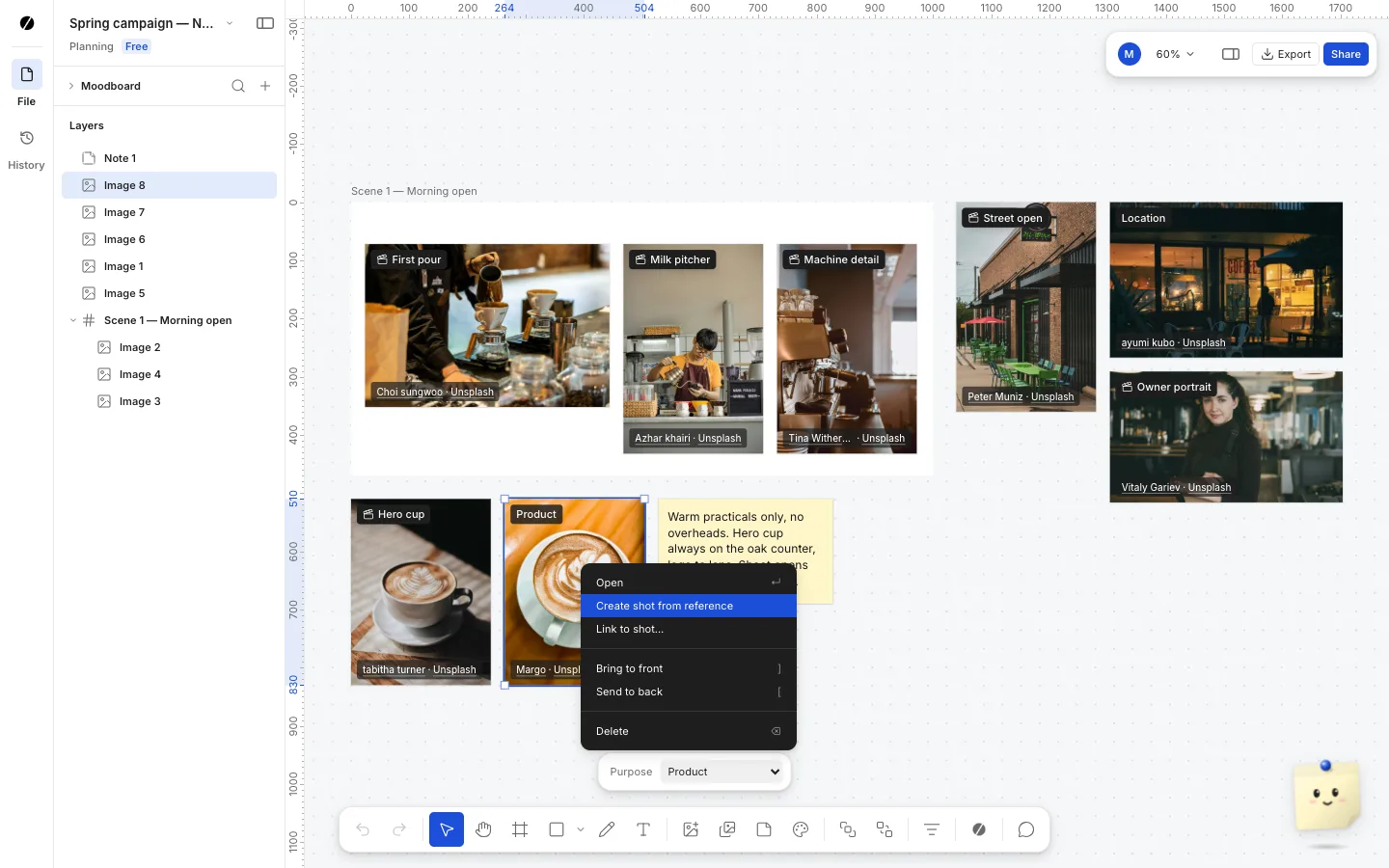
Go through the board and label each reference with what it's there for. A simple set of labels covers most shoots:
- Shot: a frame you want to match.
- Lighting: the quality or direction of light.
- Location: a place, or the kind of place.
- Wardrobe: what people wear.
- Product: how the product should look.
- Talent: casting and performance.
2. Group the board by scene
Draw frames round the references for each scene, look or location: the café exterior, the counter, the hero product shot. This is where the order of the day starts. If a frame has no shot references in it, either you don't need that scene or you haven't found its look yet.
3. Write one shot per shot reference
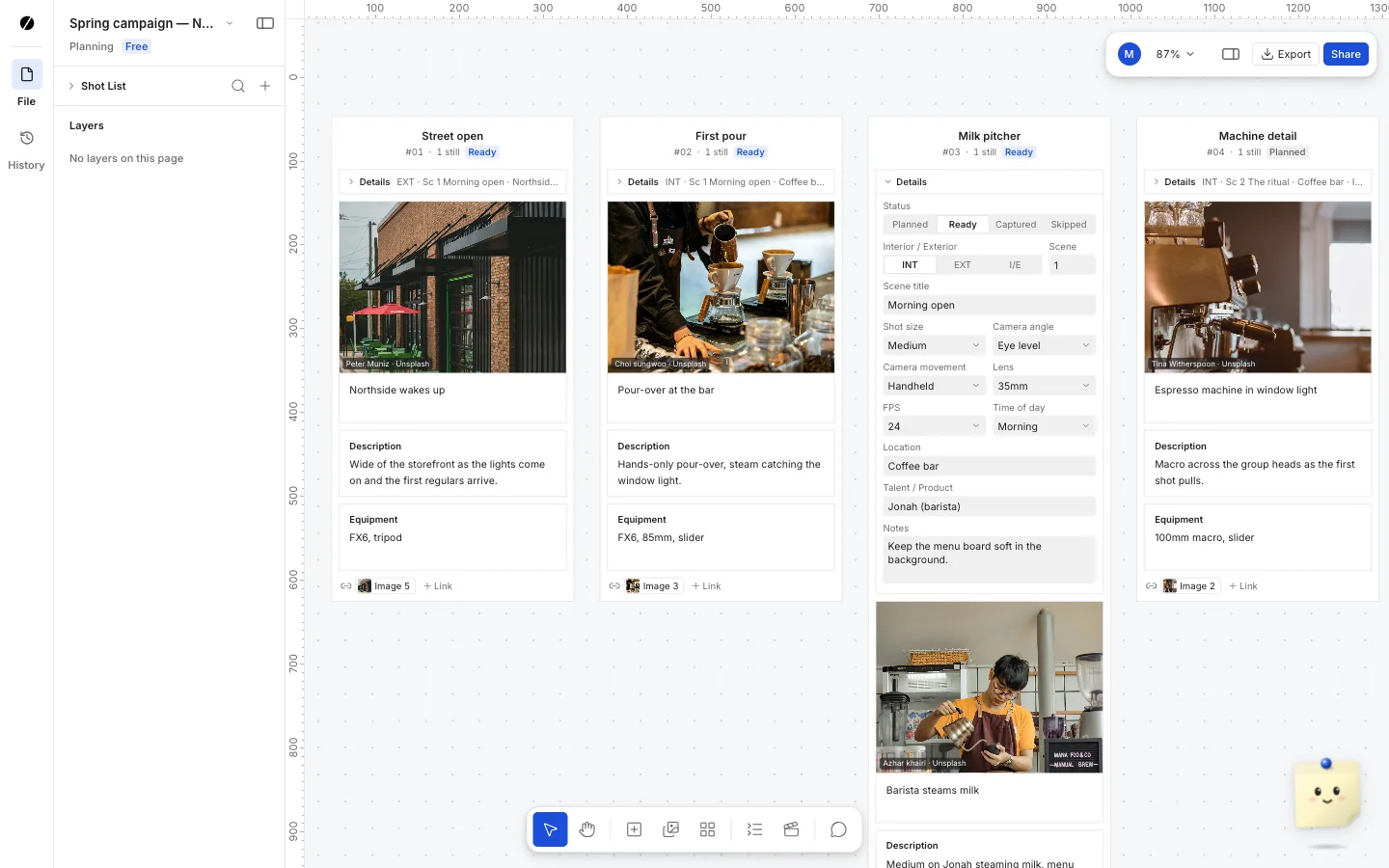
Now go reference by reference. For each image marked as a shot, write a line: what happens in frame, then the shot size, camera angle and movement, lens and frame rate, the location and who or what is in it. Lighting, wardrobe and location references go in the notes of the shots they affect.
Be literal. "Close-up, overhead, static, 100mm macro, 120 fps" is something a camera assistant can prep. "Make it feel warm" belongs on the moodboard.
4. Keep the image on the shot
The most common way a shoot drifts from the moodboard is that the shot list loses the pictures. A spreadsheet column with a link helps; a still on every shot is better. In Nugo, you pick a reference on the moodboard and create a shot from it, and the image is linked as the shot's still rather than copied, so the board and the list stay one thing.
5. Shooting order, then sign-off
Reorder the list by location and light, not by the edit, and number the shots in that order. Then send it to the client with the moodboard, so they approve the look and the plan together. After that, any change to an approved shot should be visible to everyone, not discovered on the day.
Planning the shots? Start from the free shot list template, with an example for every kind of shoot.