Updated · Ade, founder of Nugo
Approve the plan, not just the cut
Most client approval happens after the shoot, on the edit. By then a wrong shot costs a reshoot. Getting the client to approve the plan first (the look, the shots, the product moments) moves the arguments to the cheapest point in the job.
That needs three things: something the client can actually review, a clear moment where they say yes, and a record of what that yes covered.
1. Decide what needs a yes
Not everything needs the client's sign-off. These usually do:
- The look: the moodboard or treatment.
- The words: the brief, script or voiceover.
- The plan: the shot list, especially the product moments and anything the brand is precious about.
2. Share one link, with only what's ready
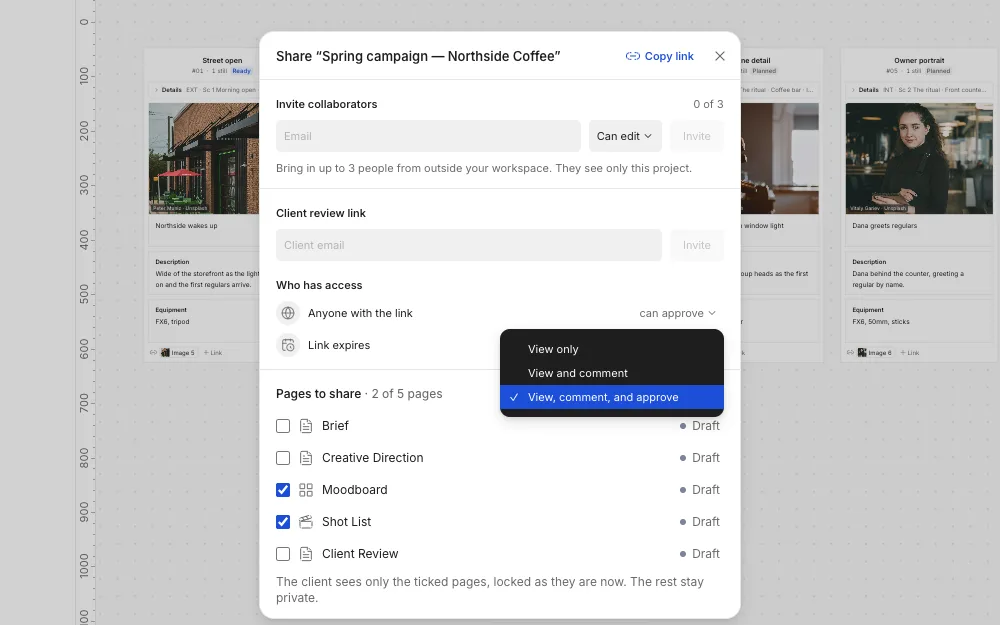
Every extra login is a reason for a client to reply by email instead. Send one link that opens in their browser, on a laptop or a phone, and put only the finished pages on it. Drafts shouldn't be one click away.
In Nugo, you share a project on a review link and choose what it allows: view only, view and comment, or view, comment and approve. The client never makes an account, the link can expire after 7, 30 or 90 days, and only the pages you've locked for review appear on it.
3. Put comments on the thing
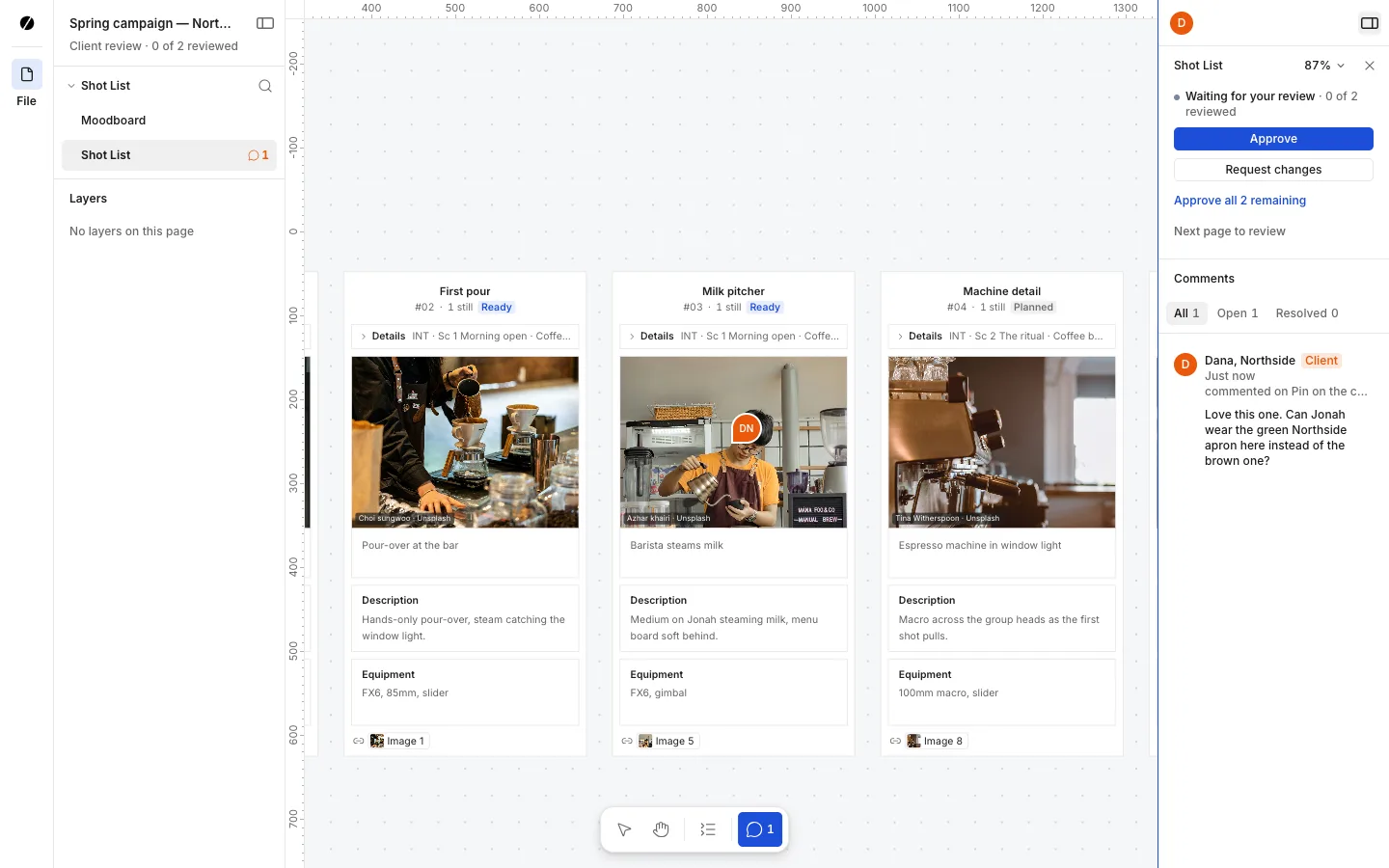
"The third one" in an email is a puzzle. A comment pinned to the shot or the reference it's about isn't. Ask the client to comment where the work is, reply in the same thread, and resolve each one so you both know what's still open.
4. Get an explicit yes, and keep what they saw
"Looks good" in a chat isn't an approval anyone can point to later. Ask for a clear approve on each page, and keep a copy of exactly the version that was approved: who approved it, when, and what was on the page at the time.
In Nugo, once the client has approved every page on the link, the approval records their name, the time and the version, and keeps that approved copy as it was, so the team can open it at any time.
5. Make every change after approval visible
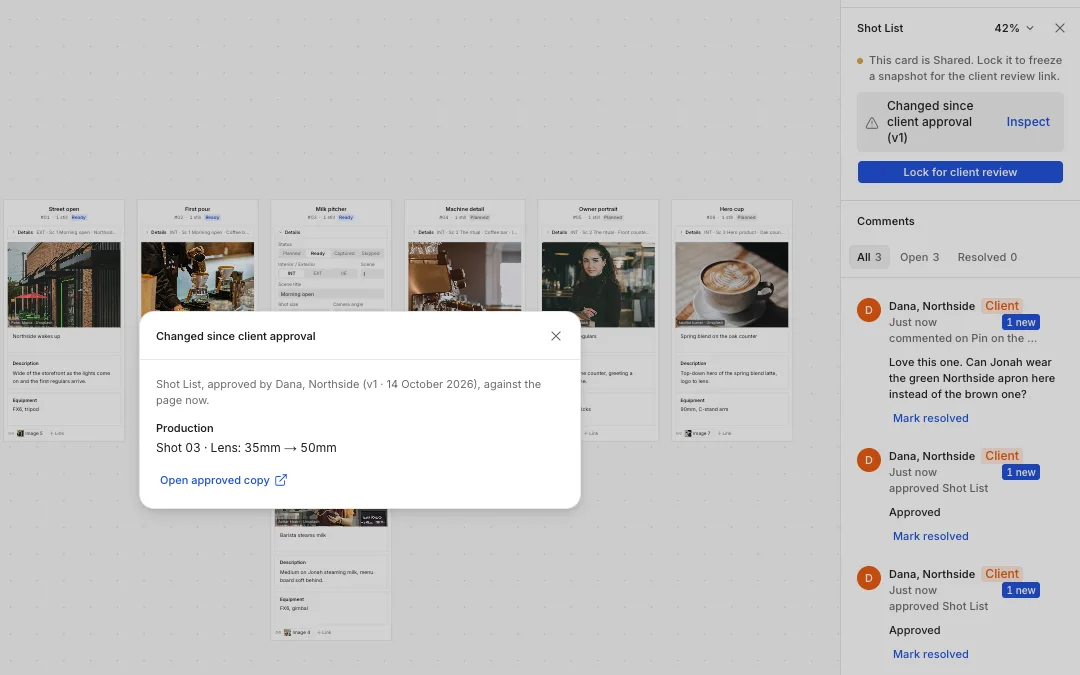
Plans change after sign-off: a lens swap, a location falls through, a product moment moves. The danger isn't the change, it's nobody noticing. When an approved page is edited, the team should see that it changed and exactly what moved, then decide whether it goes back to the client.
In Nugo, an edited approved page says "Changed since client approval", and the approval diff lists each change in words, such as Shot 03 · Lens: 35mm → 50mm.
Planning the shots? Start from the free shot list template, with an example for every kind of shoot.